
A campaign microsite you own, for every campaign you run
Events, live streams, crowdfunding, peer-to-peer, and whatever you run next, all on your own subdomain.

Quick answer
What is a fundraising campaign microsite?
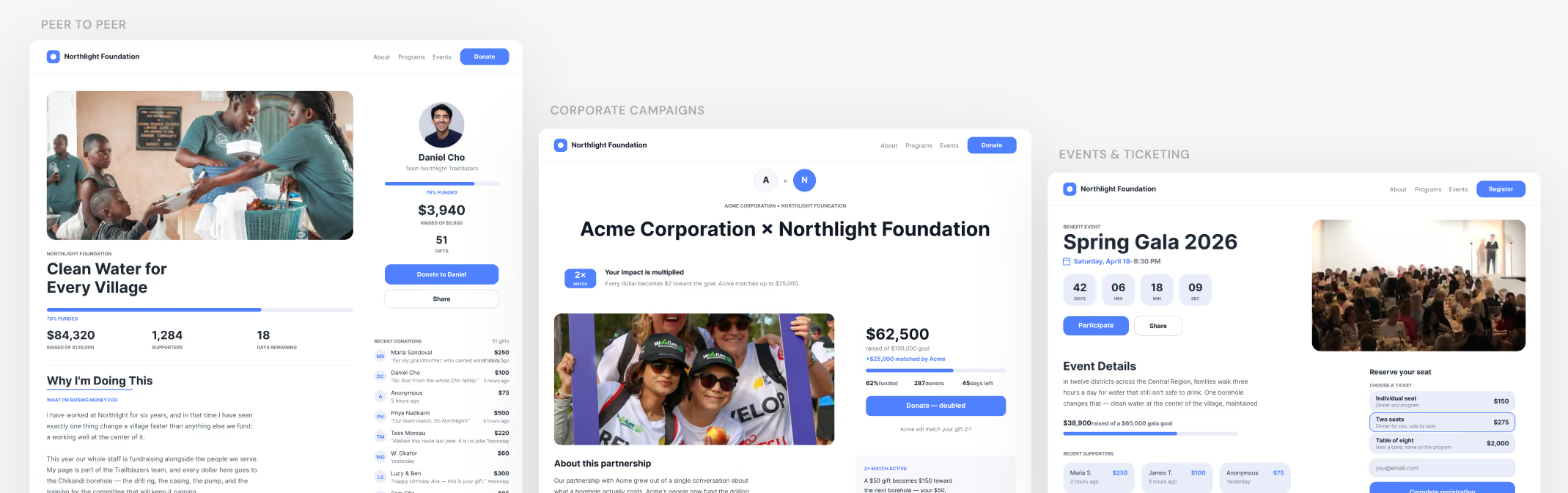
A campaign microsite is a fundraising site you own and host on your own subdomain, such as give.yourcause.org. Donately's is built to run every kind of campaign: events, live streams, crowdfunding, peer-to-peer, corporate, and seasonal appeals. Your main website stays exactly as it is, and the microsite helps you manage your seasonal campaigns.
Campaigning is how you hit your number. Own it.
Campaigning is the backbone of hitting your revenue goals, so why rent a third-party tool when you can build, manage, and customize your own?
Most platforms hand you one static campaign template with very little room to change it, and every campaign you run lives on their domain. A microsite is the opposite. It sits at your own give.yourorg.org or campaigns.yourorg.org, the layouts and the story are yours to shape, and every campaign you run next already has a home.
Your main website stays as it is
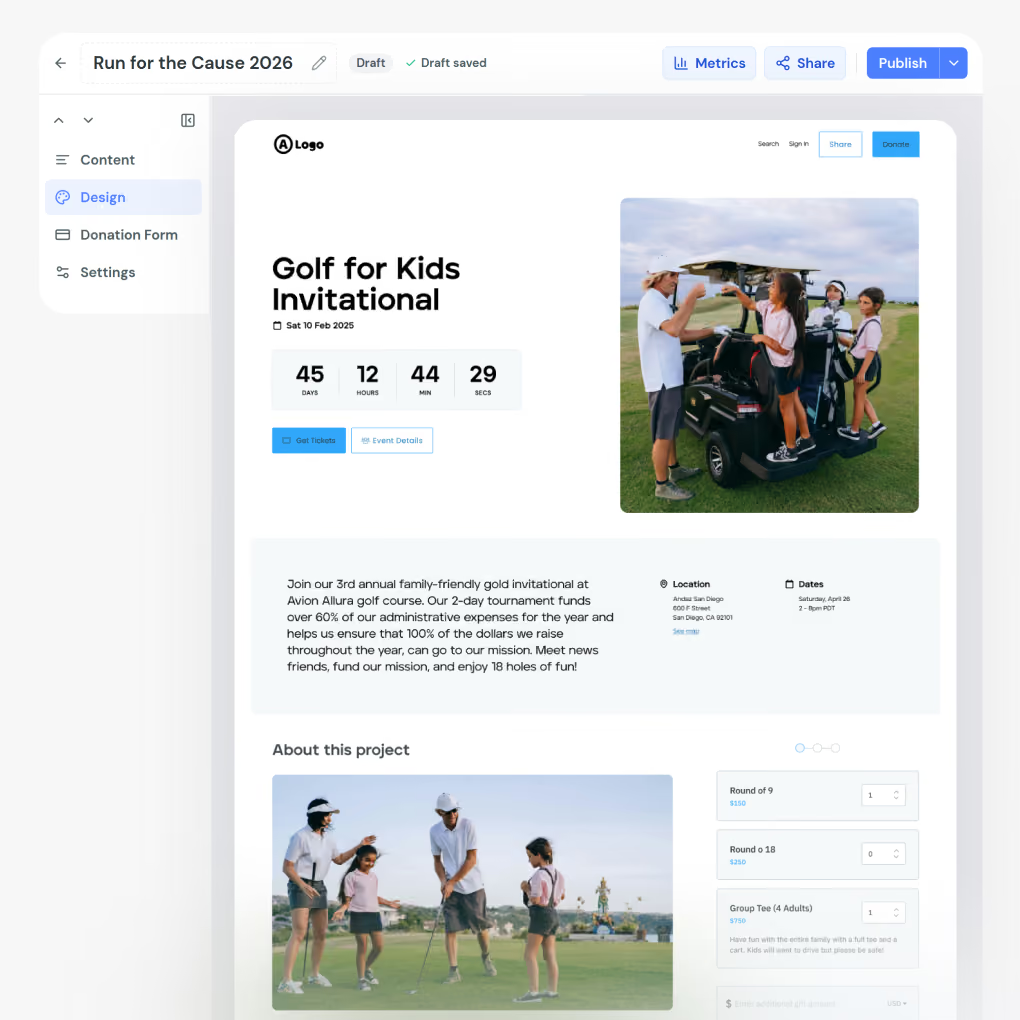
Whether your site is WordPress, Squarespace, Wix, or something built for you years ago, nothing about it has to change. One Donate button in your existing nav, pointing at the new site, is the whole integration. There is no migration and no re-platforming, and no conversation with whoever maintains your current site.
Every kind of campaign, on one site
Run them side by side, or one at a time.
Events and live streams
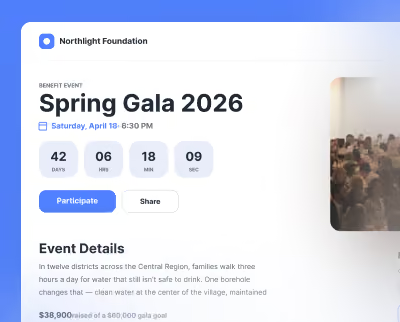
Event pages with a date, a live countdown, a location, and a registration card, where a ticket and a gift share one checkout. Video-first layouts for a live stream or a telethon, with the running total beside the player.
Crowdfunding and appeals
A goal, a progress bar, and a story, for a capital push, a disaster response, or a year-end appeal. Launch one in an afternoon, and retire it when it is done without touching the rest of the site.
Peer-to-peer and teams
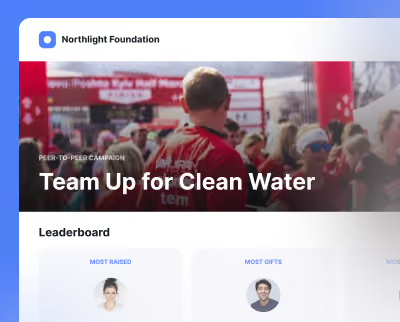
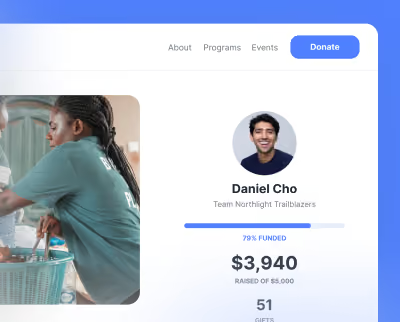
A campaign hub listing every team and fundraiser, team pages with a captain and a member leaderboard, individual fundraiser pages that credit each gift, and a sign-up page so supporters start their own.
Start your Webflow site
Clone the Donately site from Made in Webflow into your own workspace to get started.
Four steps to a microsite of your own
There is nothing to register on the Donately side.
Clone the site
Clone the complete fundraising site from Made in Webflow into your own Webflow workspace.
Paste your Account ID
Put it in the Donately script in the site's head code. It starts with act_, and it sits in Donately under Settings then Integrations. It is a public ID, so there are no keys or passwords involved.
Replace the sample campaign IDs
On each template page, set your own campaign ID on the Donately Setup element in place of the sample.
Point your subdomain at it and publish
You can build and preview the whole site at a staging address first, and run it alongside your main site on the same account.
Drag the components, paste a campaign ID
Those two things are what make the next campaign quick.
Donation forms, progress bars, donor walls, leaderboards, tickers, and countdowns, dropped onto any page of the site.
Set the campaign ID and the page fills itself from live data. There is no page to build per campaign.
Set it as the home page so supporters land on everything live, and each card opens the right template.
A public thank-you for the people who gave, and live totals sized for a room at an event.
For a board member, ambassador, or influencer, so they can do their fundraising work with pride.
For the giving that happens between campaigns.
What a campaign microsite costs
Donately charges a platform fee rather than prompting your donor to tip us on top of their gift. Standing up a new site on a subdomain carries basic Webflow fees for the site and the subdomain. If you add the library to a Webflow site you already have, there is no Webflow cost at all.
Frequently asked questions
What kinds of campaigns can I run on it?

Events with registration and a countdown, live streams and telethons, crowdfunding and capital appeals, peer-to-peer and team fundraising, and everyday giving between campaigns. The same site runs all of them, side by side or one at a time.
What is the best peer-to-peer fundraising platform for a small charity?
Look for three things: pages supporters can run themselves without you building each one, a cost you can predict, and somewhere to put the pages that does not mean rebuilding your website. A cloned campaign site covers all three, and your main site stays as it is.
Do I need my website on Webflow to use this?
No. The campaign site lives on its own subdomain, such as give.yourorg.org, and your main website stays on whatever it runs today. The embeds work on any URL, with no allowlisting and nothing to register.
Do I have to build a page for every campaign?
No. One template serves every campaign: two campaign IDs on the same page show different data, and the campaign cards build those links for you. Launch a campaign in Donately and it appears. You can still give a flagship appeal its own URL by duplicating a template, or run the whole site on a single campaign.
What does it cost?
Processing is about 2.2% plus $0.30, and Donately charges a platform fee rather than asking your donor to tip us. See Total Donor Cost for how that compares. A new site on a subdomain carries basic Webflow fees for the site and the subdomain. Adding the library to a Webflow site you already have costs nothing extra.
Why host it on a subdomain instead of my main site?
Your main site stays on whatever it runs today and nobody has to re-platform it. One Donate button in your existing nav, pointing at the microsite, is the whole integration. The embeds work on any URL, so there is nothing to allowlist and nothing to register.
Own the site your campaigns run on
Clone it, paste a public Account ID, and point a subdomain at it. Your main website never changes.